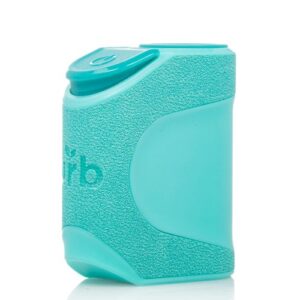
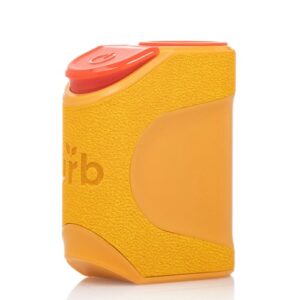
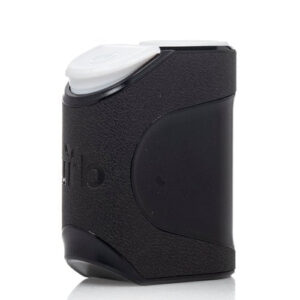
Urb Clicker 510 Battery
The Urb Clicker 510 Battery is built for consistent performance across cartridge types. With three adjustable voltage settings and a zinc-alloy chassis, it handles everything from thin distillates to thick live resin concentrates without skipping. The threaded magnetic 510 ring snaps Urb carts on fast, so swapping between cartridges takes seconds. Compact enough to carry anywhere, the Clicker fits naturally in one hand.
Urb Clicker 510 Battery Features
3-Level Voltage Output: Choose between 2.8V, 3.2V, and 3.6V to match your cartridge type.
3G Cartridge Compatibility: Handles cartridges up to 3 grams, including jumbo-format carts.
Zinc-Alloy Build: Durable and lightweight chassis that holds up to daily use.
Threaded 510 Magnetic Ring: Quick-release design for fast cartridge changes.
Ergonomic Profile: Compact form factor that fits comfortably in the palm.
How to Use the Urb Clicker 510 Battery
Attach the Ring: Thread the 510 magnetic ring onto the base of your cartridge.
Insert the Cartridge: Place the cartridge into the Urb Clicker’s slot until it seats securely.
Power On: Click the power button 5 times rapidly to turn the device on or off.
Select Voltage: Press the power button 3 times to cycle through the 2.8V, 3.2V, and 3.6V settings.
Vape: Hold the power button while inhaling slowly for the best vapor production.
Charge: Connect the included USB charger when the battery runs low.
Frequently Asked Questions:
What cartridges are compatible with the Urb Clicker 510 Battery?
The Urb Clicker works with any standard 510-thread cartridge up to 3 grams, including live resin and distillate formats. For a full selection, browse the Urb Saucy Diamonds Cart line.
What voltage should I use for live resin carts?
For live resin cartridges, the lower 2.8V setting tends to preserve terpene flavor best. Thicker distillates may benefit from 3.2V or 3.6V for consistent vapor production.
How do I clean the 510 battery connection?
Remove the cartridge, then use a cotton swab lightly dampened with isopropyl alcohol to wipe the connection point. Allow it to dry completely before reattaching any cartridge.
How do I know when the Urb Clicker needs charging?
The device will produce weaker hits or blink when battery charge is low. Connect the USB charger until the indicator light shows a full charge before your next session.
GET UP TO $50 OFF + FREE SHIPPING